A photo.
Falo is an AI-powered augmentative and alternative communication (AAC) app for nonspeaking people. The caregiver builds a board whichever way fits the moment, and the user taps pictograms to communicate through the device's voice.
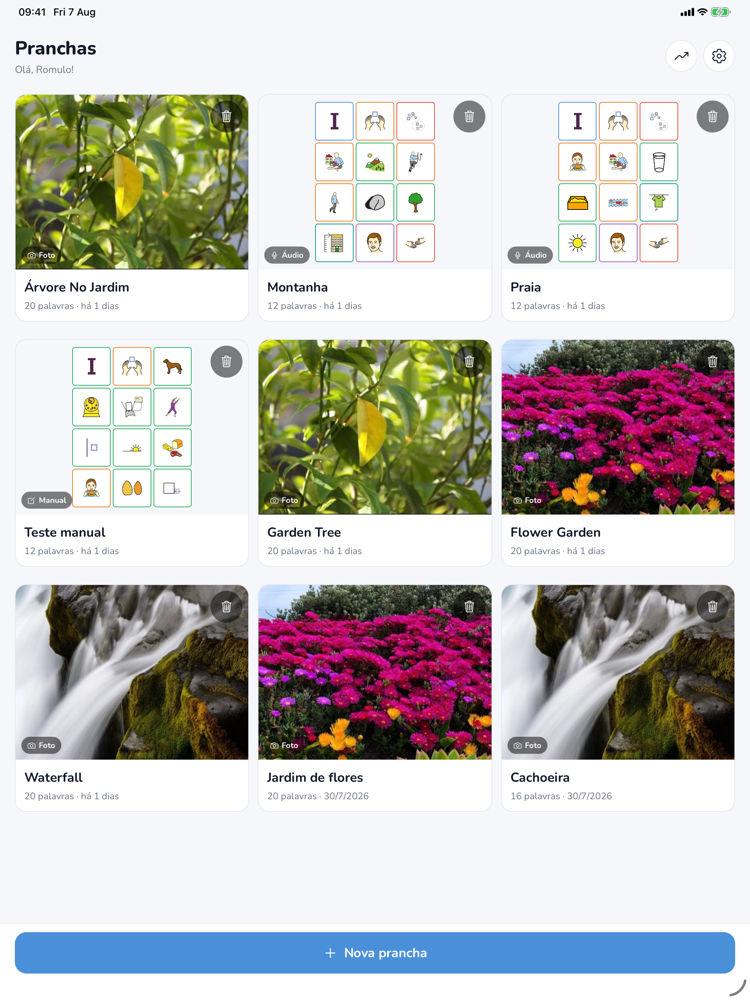
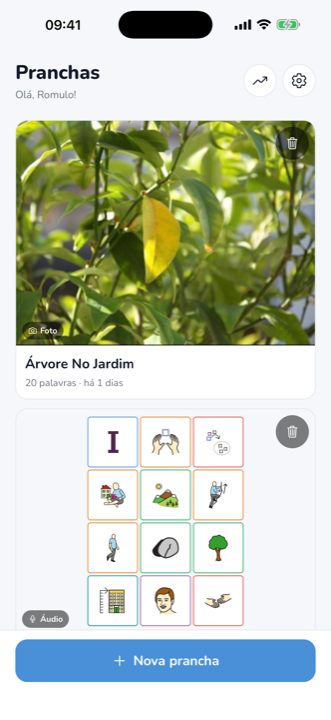
Three ways to create a board
Every moment calls for a different board. In Falo, the caregiver picks the fastest path for the situation.
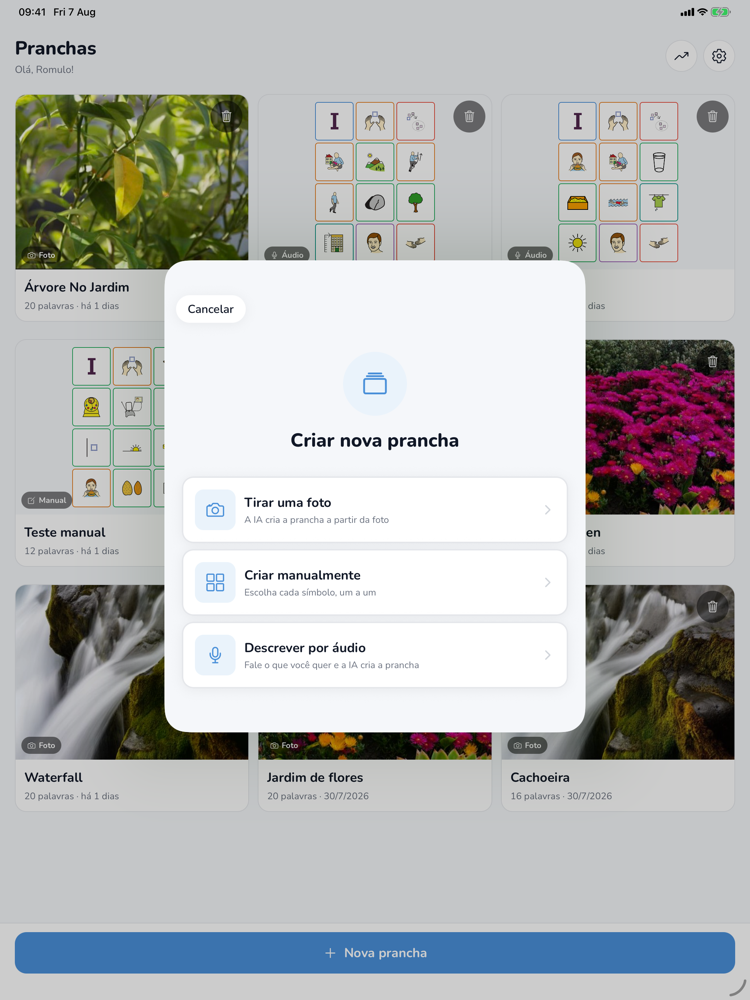
Photograph the scene
Point the camera at the kitchen, the playground, or the beach. AI picks the vocabulary for that moment and builds the board in about ten seconds.
Describe it by voice or text
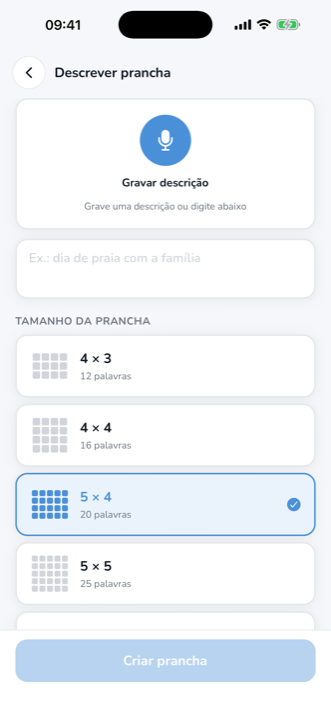
Say or type something like "beach day with the family". The app transcribes it, you confirm the text, and AI builds the board from the description.
Build it symbol by symbol
Choose a grid size and fill each cell by searching more than 3,400 pictograms from the Mulberry library.
Tap, build the sentence, communicate
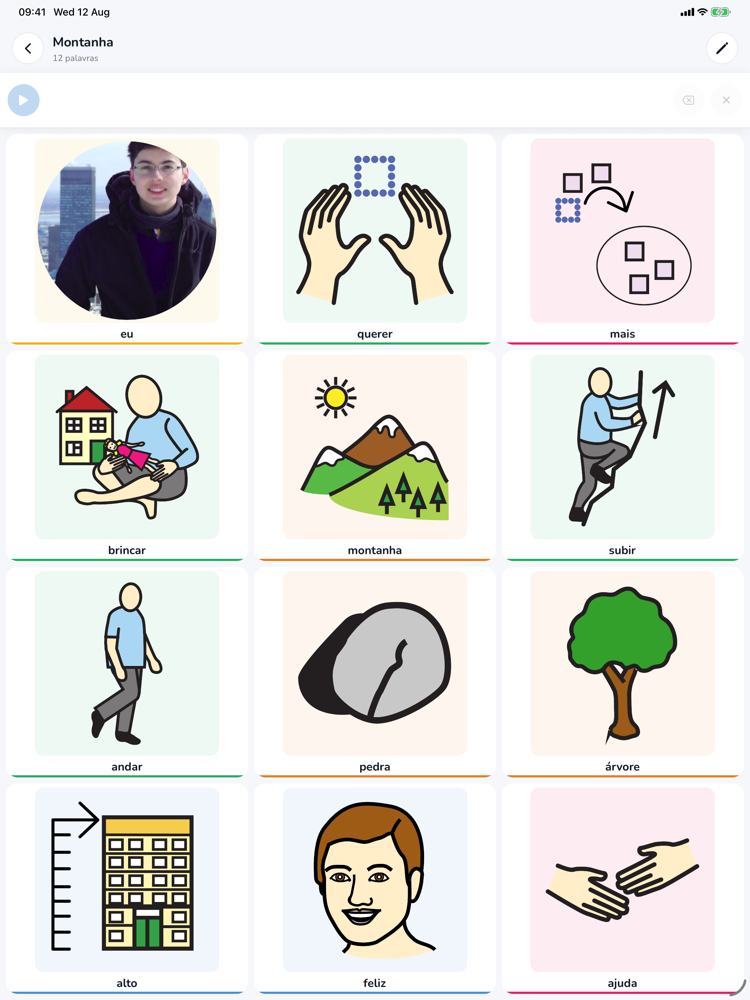
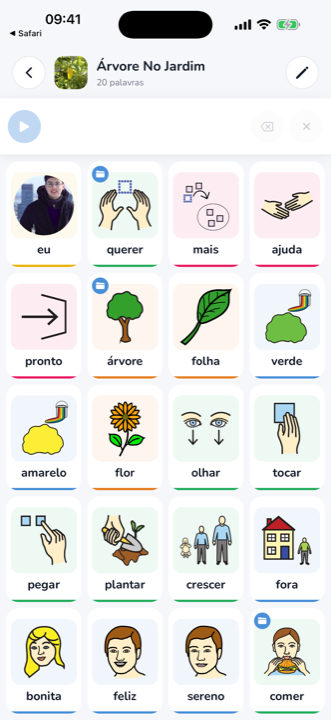
This is how Falo works every day: a pictogram grid that never moves and a sentence bar that gives every choice a voice.
A tap becomes a voice
The user taps a pictogram and the device voices it right away, with natural on-device speech, no internet needed.
Sentence bar with grammar
Words enter the bar and conjugate on their own: "eu" + "querer" becomes "eu quero". The bar stays fixed at the top, always in the same place, which supports motor memory.
Consistency that teaches
The same symbol always uses the same artwork, core words are on every board, and the back tile of folders never changes corners.
A real communication system
More than standalone boards: grammar, folders, and visual consistency designed for people who rely on AAC every day.
Automatic Portuguese conjugation
Words inflect on their own as the sentence grows: "eu querer água" becomes "eu quero água". Long-press a verb to switch tense to past ("eu quis água") or future ("eu vou querer água"). No major AAC app conjugates Portuguese automatically. English past and future are included too.
Folders and sub-boards
Any cell can open another board. AI creates topic pages ("food" becomes a board with only food vocabulary), or you can link an existing board. The back tile always stays in the same place.
Fitzgerald Key colors
Pictograms follow the Modified Fitzgerald Key, the AAC literature standard: yellow for people, green for actions, orange for objects, blue for describers and feelings, pink for social words. You choose how the color shows up: border, colored background, subtle, or none.
Grid size per board
From 2×2 up to 7×7, chosen in every creation flow. The last used size becomes the default for the next board.
Offline voice and boards
The voice comes from the device itself, no internet needed. Saved boards and pictograms are cached and work anywhere.
Caregiver gate
Settings, board editing, and deletion sit behind a simple multiplication question. The user navigates without leaving the safe area.
Track real progress
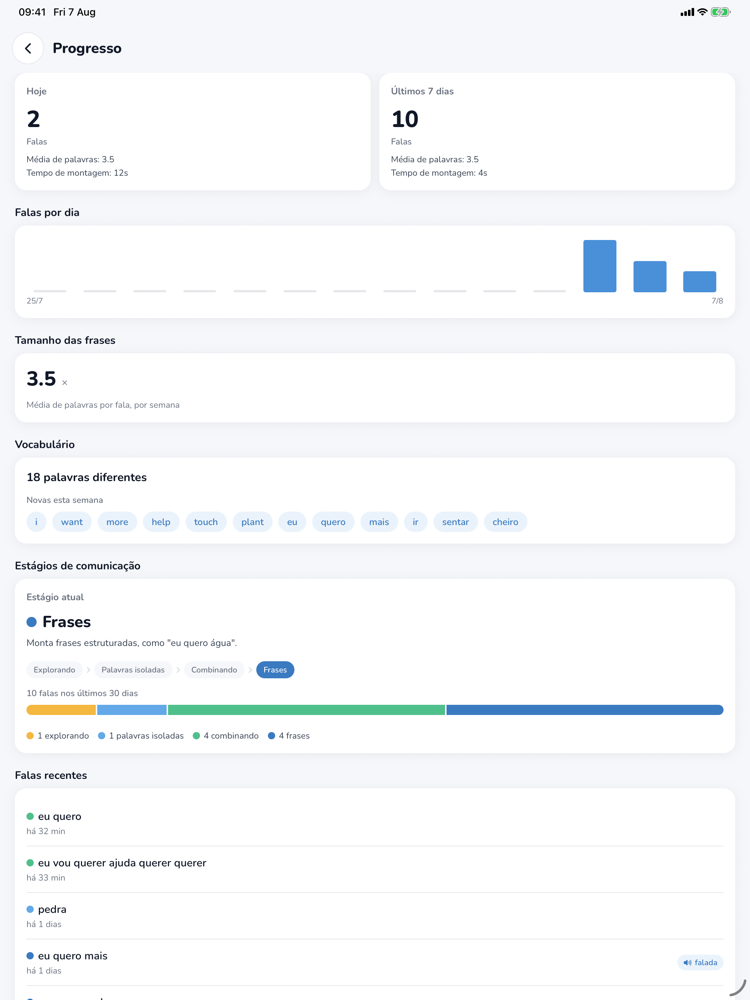
Falo records how communication evolves and turns it into a simple dashboard, made for conversations with family and therapists.
Progress dashboard
Utterances per day, average sentence length, vocabulary growth, and communication stages, from exploring to full sentences.
Full backup
Export everything (boards, photos, history, and preferences) into a single file and restore on any device, merging without losing anything.
Optional AI analysis
If you opt in, stage classification uses AI by sending only anonymous word lists. Never names, audio, or images.
Privacy first
No accounts, no ads, no tracking. The app is designed to keep as little as possible outside the device.
Photos processed and discarded
Photos and audio are processed on the spot and discarded. Nothing is stored on servers.
Everything on the device
Boards, photos, and the entire progress history live only on the device. The backup is a local file that stays with you.
The "I" tile photo never leaves the device
The photo used on the "I" tile is never uploaded anywhere.
No accounts and no analytics
There is no sign-up, no login, and no trackers. The voice is generated on the device, offline.
Questions and answers
The essentials to get started. Missing something? Write to us at the email in the footer.
What is AAC?
Augmentative and alternative communication: strategies and tools that supplement or replace speech when it is absent or insufficient. In Falo, the user taps pictograms and the device gives the sentence a voice, with grammar support.
Which devices does Falo support?
iPhone and iPad, currently in beta through TestFlight. The App Store release is on the way.
Does it work offline?
Saved boards and the voice work fully offline. The internet is only used when creating new boards with AI.
How does the Portuguese conjugation work?
The app conjugates verbs automatically as the sentence is built, in the present tense, and lets you switch to past or future with a long press on the verb. Everything happens on the device, free and offline.
Is the user's data safe?
Yes. There are no accounts or tracking, photos are processed and discarded, and the history stays on the device only. The optional AI progress analysis sends only anonymous word lists.
How much does the beta cost?
Nothing. The beta is free: just install Apple's TestFlight app and join through the invite link.